

What is Pix?
Pix are simple, minimal frames. Pick one and change its color to match your photo or your feed.
Move and pinch the photo inside the frame, or load your own minimal frame with a transparent window.
Everything in Pix
Controls
Simple and colorful.
- Minimal frames
- Color
- Move and scale
- Your own frame
- Color
- Any color from the palette.
- Your own frame
- Load a picture with a transparent window. Make the window with Remove BG.
How to use Pix in Pichype
- 1Open Pix
Pick a photo and tap Pix.
- 2Pick a frame
Choose a minimal frame.
- 3Color and fit
Pick a color and move the photo inside the frame.
- 4Save
Save the photo.
Pix FAQ
What is the difference between Pix and Frames?
Pix are minimal frames whose color you can change. Frames are full designed frames from many categories.
Can I add my own Pix frame?
Yes. Load a picture with a transparent window.
Pix tutorials
All tutorials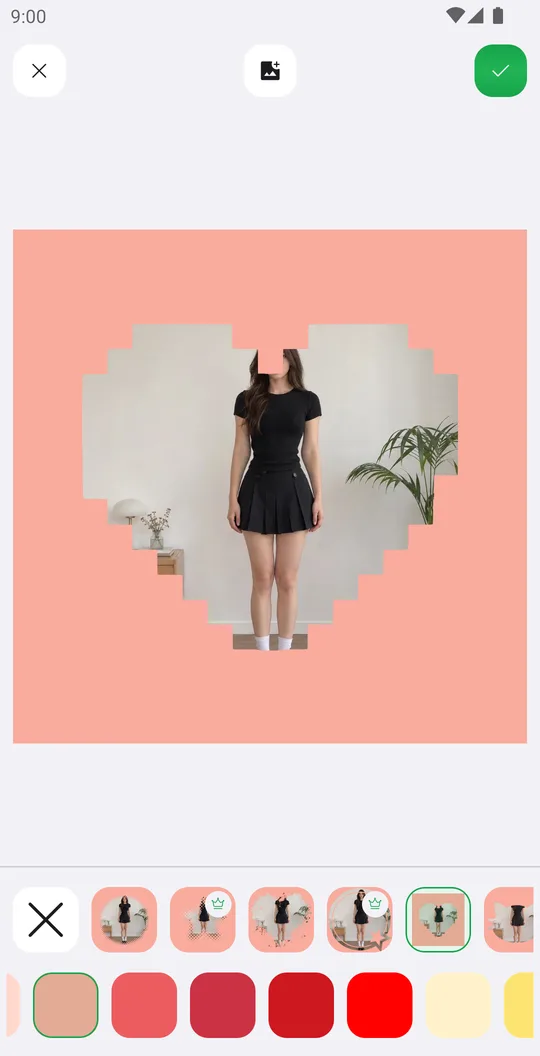
Works well with
Try Pix for free
Free on Google Play. iOS coming soon.