Wrap
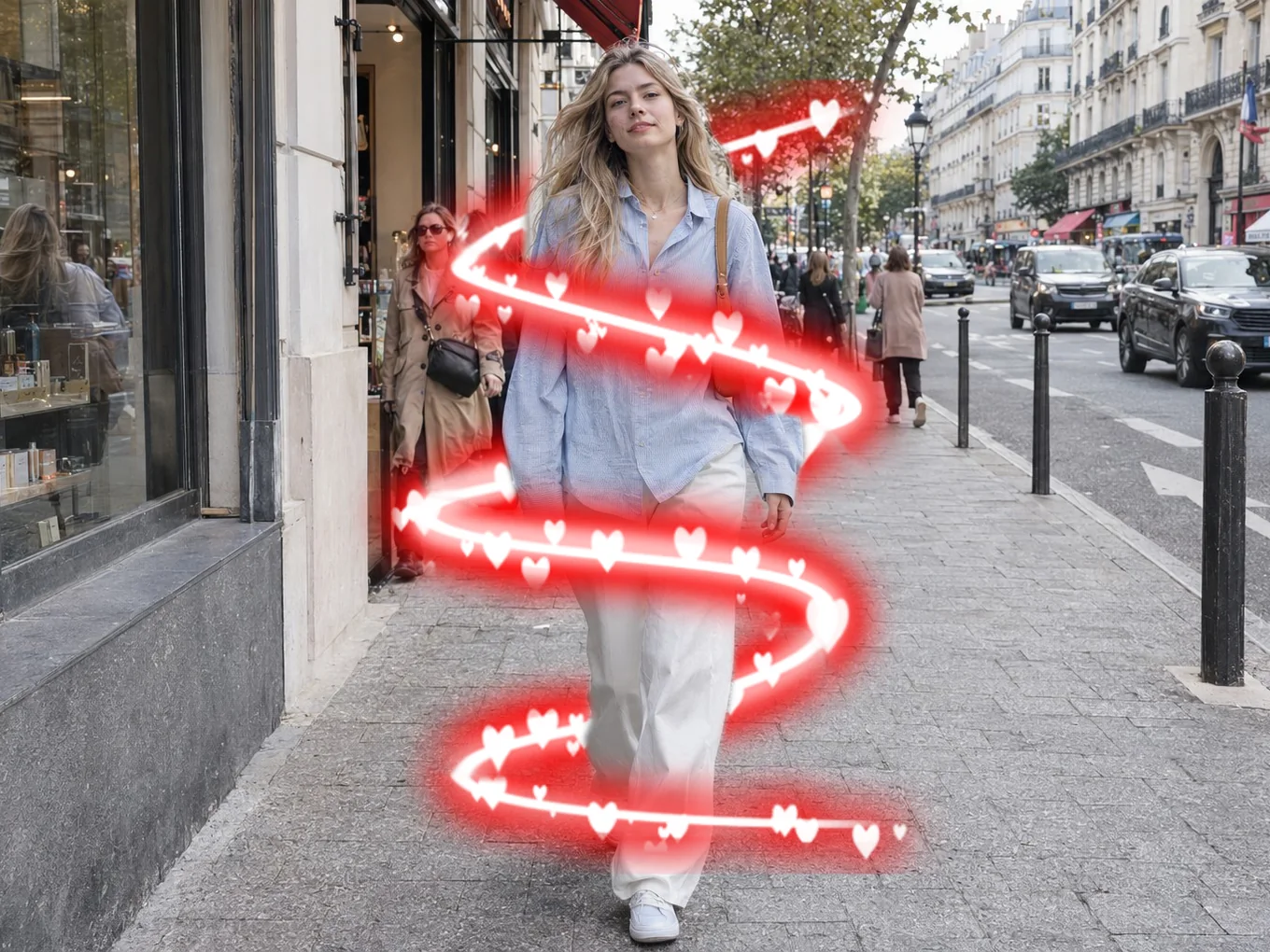
A Wrap sticker goes around the person: the front part sits over you and the back part goes behind.
What is Wrap?
Wrap makes the person mask by itself and splits the sticker in two: the front part covers you and the back part hides behind you. Wings, rings, hearts or ribbons look like they really go around you.
Wrap has all the sticker controls: move, rotate, lock, duplicate and order. If the automatic mask is not right, tap Cutout and draw your own.
Everything in Wrap
Wraps
Ready sets to start from.
- Library sets
- Front part
- Back part
On the photo
Every wrap has its own buttons right on the photo. Drag it with one finger, pinch to resize and rotate.
- Flip
- Lock
- Rotate and zoom
- Delete
- Flip
- Mirror it left to right.
- Lock
- Pin it in place so it does not move by accident.
- Rotate and zoom
- Drag the corner handle to turn and resize with one finger.
- Delete
- Remove it from the photo.
Long-press menu
Press and hold a wrap to open the full menu.
- Lock
- Duplicate
- Bring forward
- Send backward
- Reset
- Delete
- Duplicate
- Make an exact copy with the same position and size.
- Bring forward, Send backward
- Put it in front of or behind another wrap.
- Reset
- Return it to the default position and size.
Adjust
Settings that make precise placement easy.
- Touch
- Guides
- Degree
- List
- Opacity
- Zoom
- Touch
- Switch your fingers from the wraps to the photo, so you can zoom in for detail. Turn it off to move the wraps again.
- Guides
- Show alignment lines while you move.
- Degree
- Snap the rotation to exact angles.
- List
- See every wrap you added and lock any of them.
- Opacity, Zoom
- Sliders for the transparency and size of the selected wrap.
Mask
Wrap makes the person mask by itself, so there is no layer switch.
- Cutout
- Cutout
- Open Remove BG to draw your own mask if the automatic one is not right.
How to use Wrap in Pichype
- 1Open Wrap
Pick a photo and tap Wrap. AI makes the person mask.
- 2Pick a set
Choose a Wrap from the Library.
- 3Place it
Drag, pinch and rotate it around you.
- 4Fix the mask and save
If the edge is wrong, tap Cutout and fix it, then save.
Wrap FAQ
Why is there no Layers switch in Wrap?
Wrap always uses the person mask, so it does it for you. Use Cutout to change the mask.
The back part shows over my arm.
Tap Cutout and restore your arm in the mask.
Wrap tutorials
All tutorials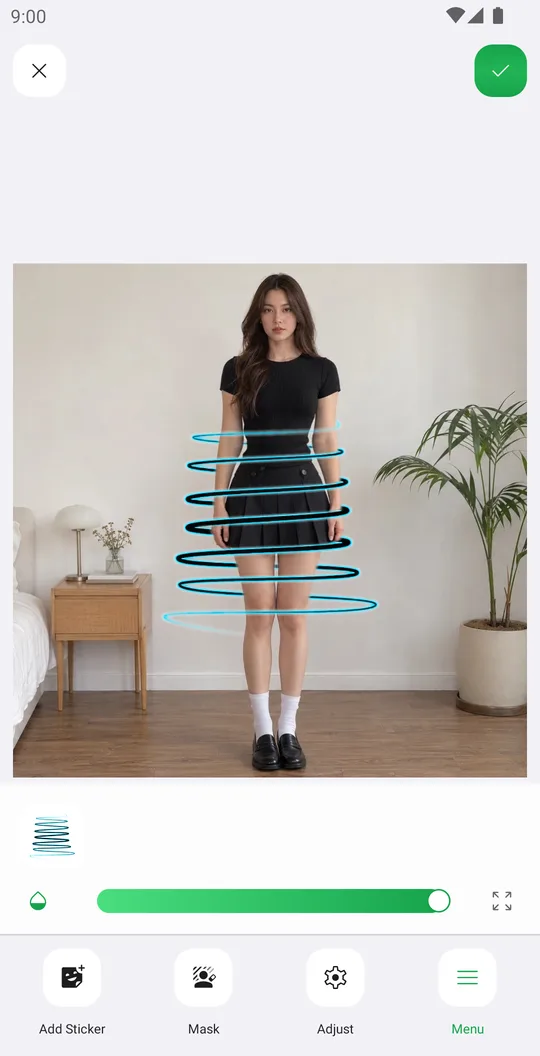
Works well with
Try Wrap for free
Free on Google Play. iOS coming soon.