
Text
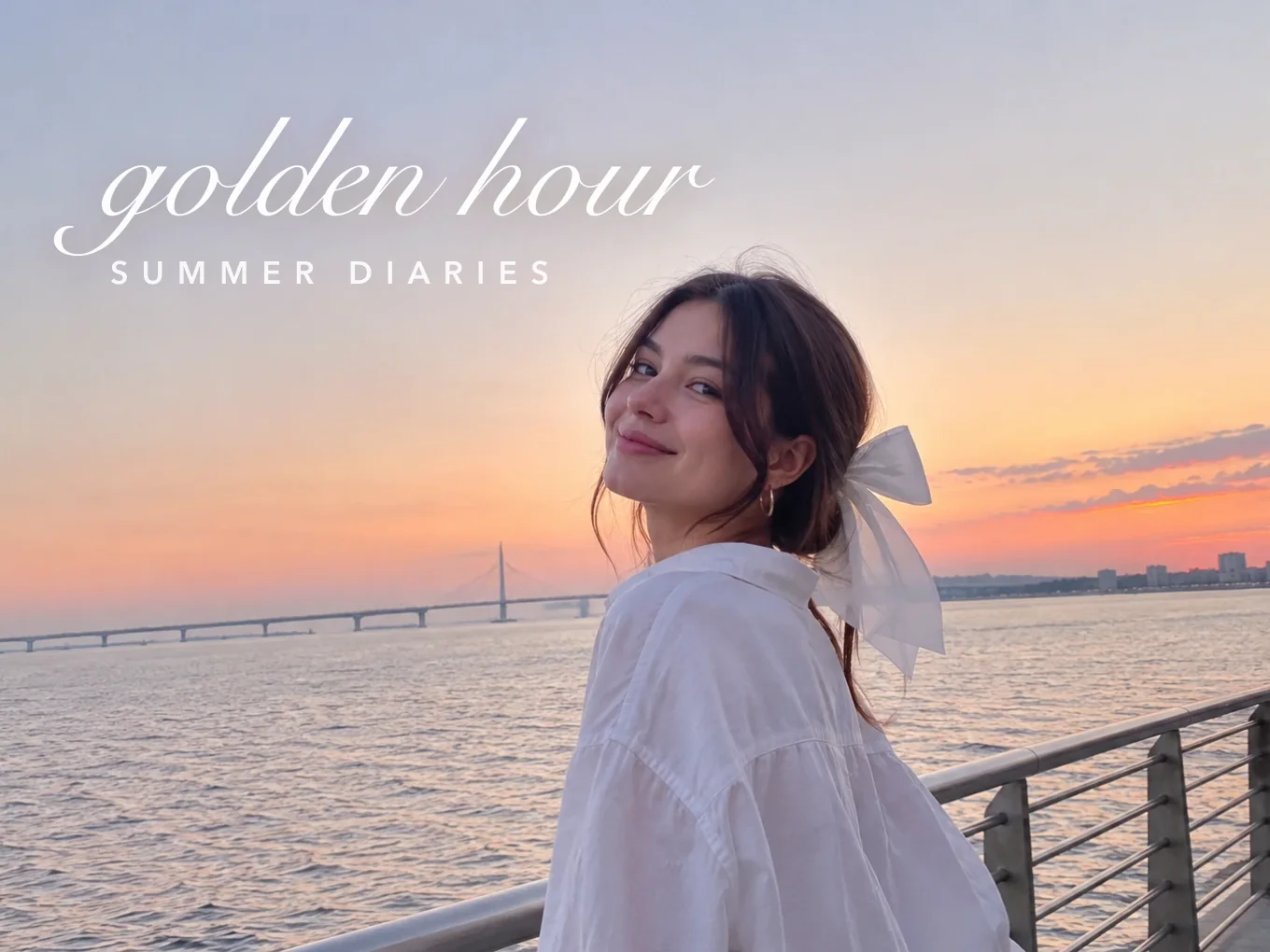
Write on photos with full styling. Load your own font or texture, and put text behind the person for a magazine look.
What is Text?
Type a caption or a title and style it: font, color, outline, background, texture, shadow and glow. Load your own font or texture if the built-in ones are not enough.
Text works like stickers: move, rotate, lock, duplicate and change the order. Switch Layers to BG and the text goes behind the person, like a magazine cover.
Everything in Text
Style
Everything you need for captions and titles.
- Style
- Font
- Color
- Opacity
- Outline
- BG
- Texture
- Size
- Distance
- Line spacing
- Radius
- Shadow
- Font
- Built-in fonts, or load your own.
- BG
- A colored box behind the text. Radius rounds its corners.
- Texture
- Fill the letters with a picture or pattern. Load your own texture too.
- Distance, Line spacing
- Space between letters and between lines.
- Shadow
- Soft, Medium, Hard or Glow, with intensity and angle.
On the photo
Every text has its own buttons right on the photo. Drag it with one finger, pinch to resize and rotate.
- Flip
- Lock
- Rotate and zoom
- Delete
- Flip
- Mirror it left to right.
- Lock
- Pin it in place so it does not move by accident.
- Rotate and zoom
- Drag the corner handle to turn and resize with one finger.
- Delete
- Remove it from the photo.
Long-press menu
Press and hold a text to open the full menu.
- Lock
- Duplicate
- Bring forward
- Send backward
- Reset
- Delete
- Duplicate
- Make an exact copy with the same position and size.
- Bring forward, Send backward
- Put it in front of or behind another text.
- Reset
- Return it to the default position and size.
Adjust
Settings that make precise placement easy.
- Touch
- Guides
- Degree
- List
- Opacity
- Zoom
- Touch
- Switch your fingers from the texts to the photo, so you can zoom in for detail. Turn it off to move the texts again.
- Guides
- Show alignment lines while you move.
- Degree
- Snap the rotation to exact angles.
- List
- See every text you added and lock any of them.
- Opacity, Zoom
- Sliders for the transparency and size of the selected text.
Layers
Put a text behind the person for a magazine look.
- All
- BG
- Cutout
- All
- The text sits on top of the whole photo.
- BG
- The text goes behind the person, using the AI mask.
- Cutout
- If the mask is not right, tap Cutout to open Remove BG and make the mask exactly how you want it.
How to use Text in Pichype
- 1Open Text
Pick a photo and tap Text.
- 2Type and style
Write your text and pick a font, color, outline and shadow.
- 3Place it
Drag, pinch and rotate. Use Guides and Degree for neat alignment.
- 4Put it behind you and save
Switch Layers to BG for text behind the person, then save.
Text FAQ
How do I put a text behind me?
Switch Layers to BG. The text goes behind the person. If the edge looks wrong, tap Cutout and fix the mask in Remove BG.
How do I zoom into the photo without moving the text?
Open Adjust and turn on Touch. Your fingers now move the photo. Turn it off to move texts again.
Can I use my own font?
Yes. Load a font file in Font and it appears with the others.
How do I make glowing text?
Open Shadow, choose Glow and raise the intensity.
Text tutorials
All tutorials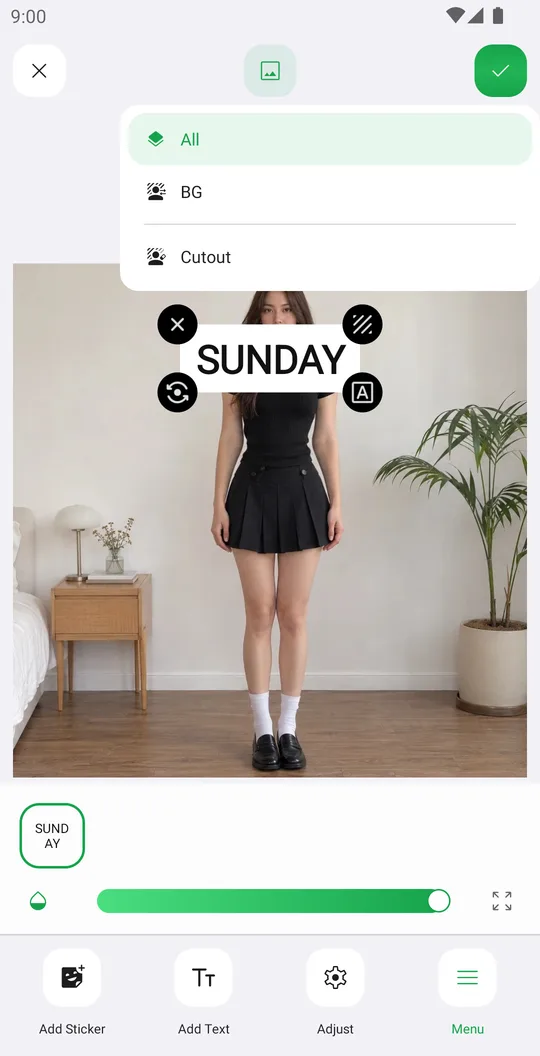
Works well with
Try Text for free
Free on Google Play. iOS coming soon.