
Effects
72 effects with their own settings, from soft bokeh and bloom to VHS, hologram and oil paint.
What is Effects?
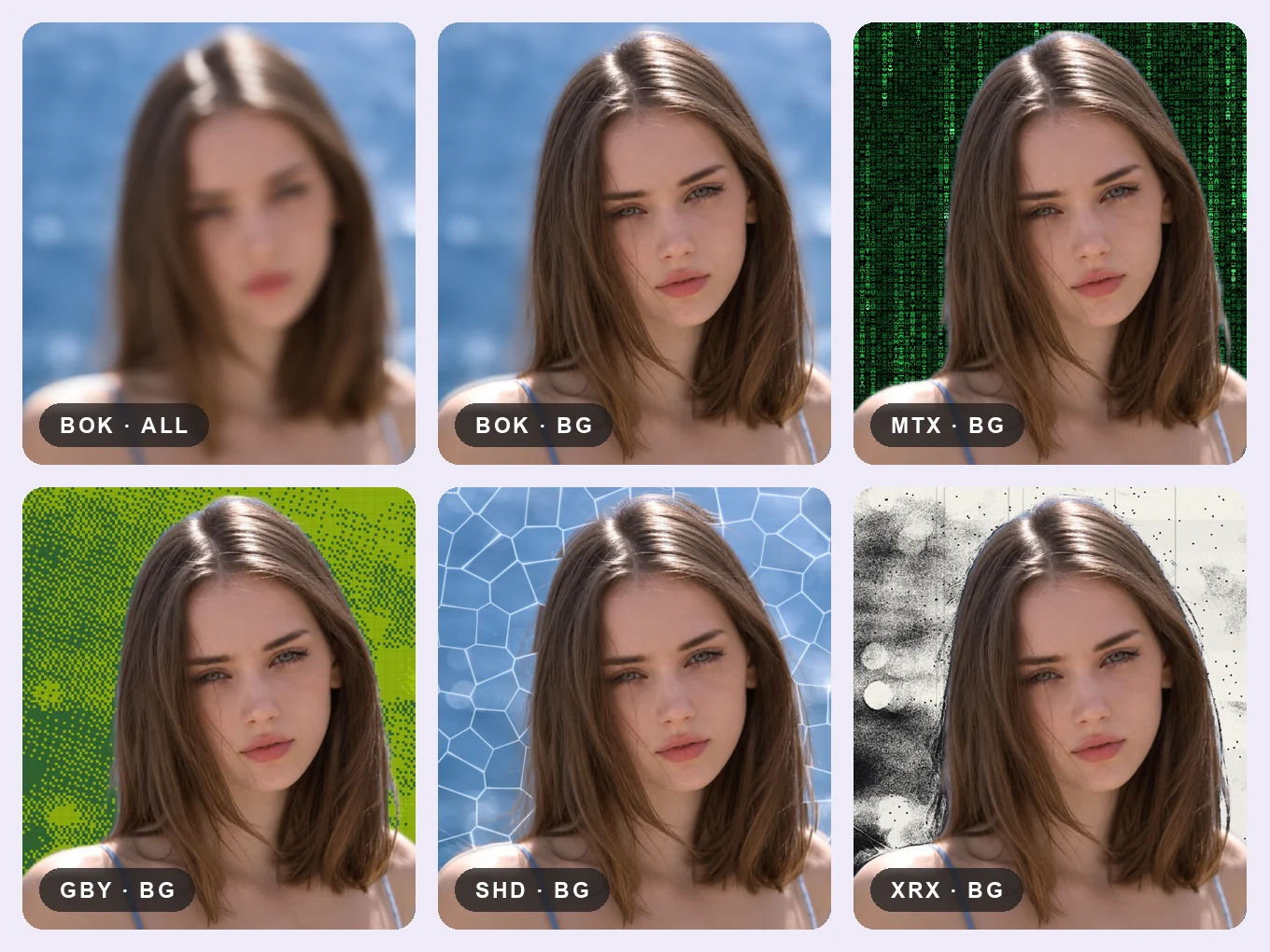
Effects change the look of the whole photo: a lens blur, a glitch, an old camera, light leaks or a painting. Each effect has a strength slider and its own controls, such as amount, grain, position or size.
With Layers you can blur only the background for a portrait look, or turn only the person into a sketch.
Everything in Effects
Blur
Lens blurs, glass and distortions.
- Bokeh
- Fluted glass
- Reflection
- Blur
- Tilt-shift
- Fisheye
- Motion blur
- Radial blur
- Spin blur
- Ripple
- Wave
Glitch
Digital noise, color splits and screen artifacts.
- ASCII
- Pixel stretch
- Hologram
- Matrix
- Shatter
- Chromatic
- Radial chromatic
- Prism
- Ghost
- VHS
- Heavy VHS
- Glitch
- Block glitch
- Scan glitch
- Dither
Retro
Old cameras, prints, screens and film.
- Risograph
- Digicam
- Game Boy
- LED screen
- Xerox
- Cyanotype
- CRT
- Scanlines
- Film grain
- Paper
- Halftone
- Crosshatch
- Stipple
- Solarize
- Channel swap
- Thermal
- Infrared
- Color vignette
- Faded levels
Light
Glow, flares, leaks and atmosphere.
- Halation
- Light leak
- Sparkle
- Anamorphic flare
- Aura
- Bloom
- God rays
- Vignette
- Fog
- Shadow spread
- Light spread
Canvas
Turn a photo into a drawing, painting or print.
- Engrave
- Spiral engrave
- Banknote
- Chrome
- Pixelate
- Circle mosaic
- Sketch
- Oil paint
- Cartoon
- Watercolor
- Comic
- Emboss
- Edges
- Ink edges
- Linocut
- Beauty smooth
Layers
Choose where the edit goes. AI finds the person, so you can change the whole photo, only the person or only the background.
- All
- Mask
- BG
- Cutout
- Compare
- Discard
- All, Mask, BG
- Tap the layers button at the top. All changes the whole photo, Mask only the person, BG only the background behind them.
- Cutout
- If the AI mask missed a spot, tap Cutout and fix it in Remove BG. The background layer follows your new mask by itself.
- Compare
- Hold to see the original photo, release to see your edit.
- Discard
- Reset everything you changed in this tool and start again.
How to use Effects in Pichype
- 1Open Effects
Pick a photo and tap Effects.
- 2Pick a group and an effect
Open Blur, Glitch, Retro, Light or Canvas and tap an effect.
- 3Adjust
Set the strength and the effect's own controls, and choose the layer.
- 4Compare and save
Hold Compare, then save.
Effects FAQ
Can I edit only the person or only the background?
Yes. Tap the layers button at the top and choose Mask for the person or BG for the background. If the edge is not perfect, tap Cutout, fix the mask in Remove BG and the edit follows the new edge.
How do I blur only the background?
Pick Bokeh or Blur and switch the layer to Background.
Can I combine several effects?
Yes. Apply one effect, save it, then open Effects again and add the next.
Effects tutorials
All tutorials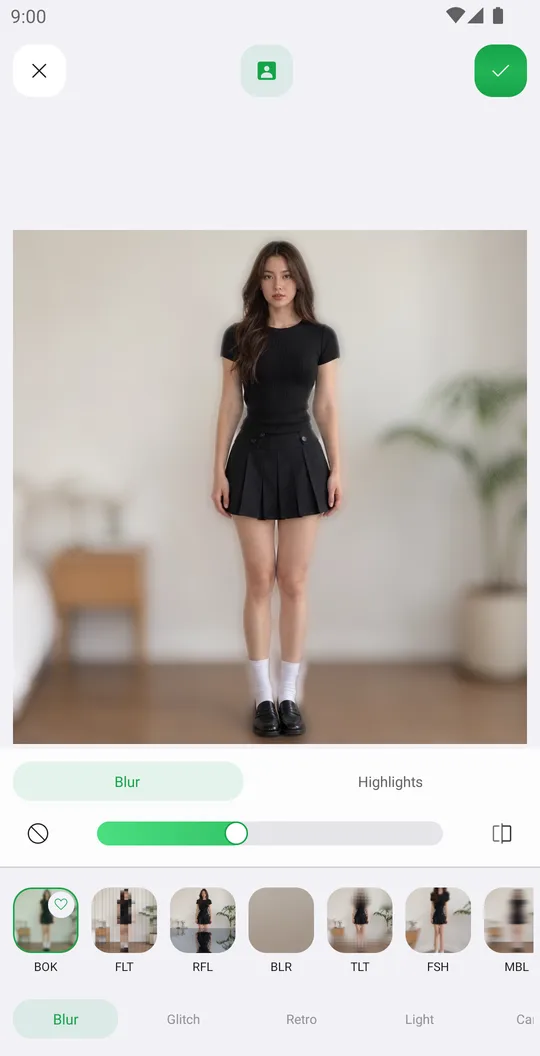
Works well with
Try Effects for free
Free on Google Play. iOS coming soon.